Support
We're here to help.
Everything you need for permissions, licensing, and refunds. Still stuck? Reach out and a real person replies, usually within a day.
Get in touch
Questions, bugs, licensing, or a refund. The fastest way to reach us is email.
Permissions
Frame needs one permission to do its job: Screen Recording, so it can capture your screen. That's it.
- 1On first capture, Frame asks for Screen Recording. Click Open System Settings.
- 2Go to Privacy & Security, Screen Recording and turn Frame on.
- 3If macOS asks you to relaunch, click Quit & Reopen. Your shortcuts work right away.
macOS shows "screen and audio" in this dialog by default for every screen-capture app. Frame only captures still images of your screen. No microphone, no system audio, and nothing leaves your Mac.
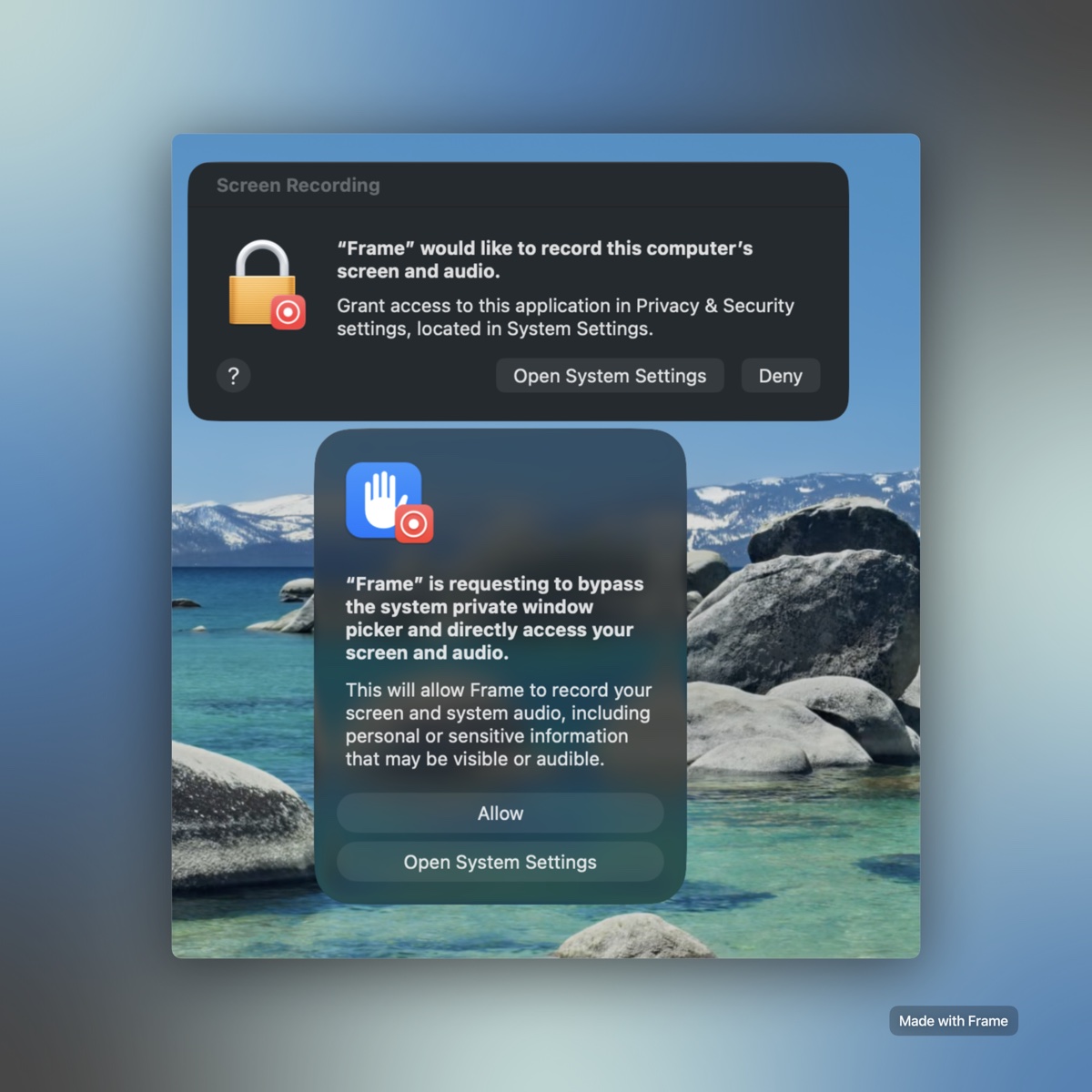
macOS may also ask this on Sequoia and later. Click Allow so a shortcut can grab your screen instantly, without the system picker popping up every time. It only speeds up capture. Nothing is recorded or uploaded.
macOS hides status items if you run out of menu bar space or if they collide with the camera notch. If Frame is running but you cannot see the icon, try closing a few other menu bar apps to free up space.
Refunds
A 7-day, no-questions-asked money-back guarantee on every purchase.
- Not happy within 7 days of buying? Email support@minilabs.cc and we'll refund you, no questions asked.
- There's a free 3-day trial first, so you can be sure before you pay.
- Checkout and refunds run through Polar, our merchant of record.
Licensing & activation
No account, ever. A license key unlocks Frame and removes the trial mark.
- Frame is free to download and try. A license removes the trial watermark and is issued instantly after checkout.
- Checkout runs through Polar (payment by Stripe). Your key is always in Polar's customer portal.
- After purchase, visit frame.minilabs.cc/success, paste your key, and click Open Frame and activate. Frame confirms on-screen.
- You can also paste the key directly in the app from the menu bar icon.
- One device on the One-Year license, five licenses on Lifetime Updates. Moving Macs is one click: deactivate on the old one to free the slot.
System & performance
Frame is built specifically for macOS. No web wrappers, no heavy frameworks.
- Swift & SwiftUI: Written entirely in native Swift and SwiftUI, ensuring Frame starts instantly, uses very little RAM, and is smooth on memory.
- macOS Support: Requires macOS 14.0 (Sonoma) or later. Fully optimized for Apple Silicon and Intel-based Macs.